
Download Mixero – Twitter Desktop Client, Free, Secure, Cross‑Platform
Overview
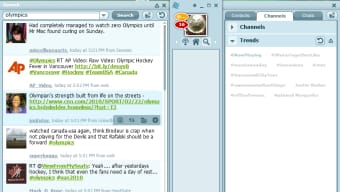
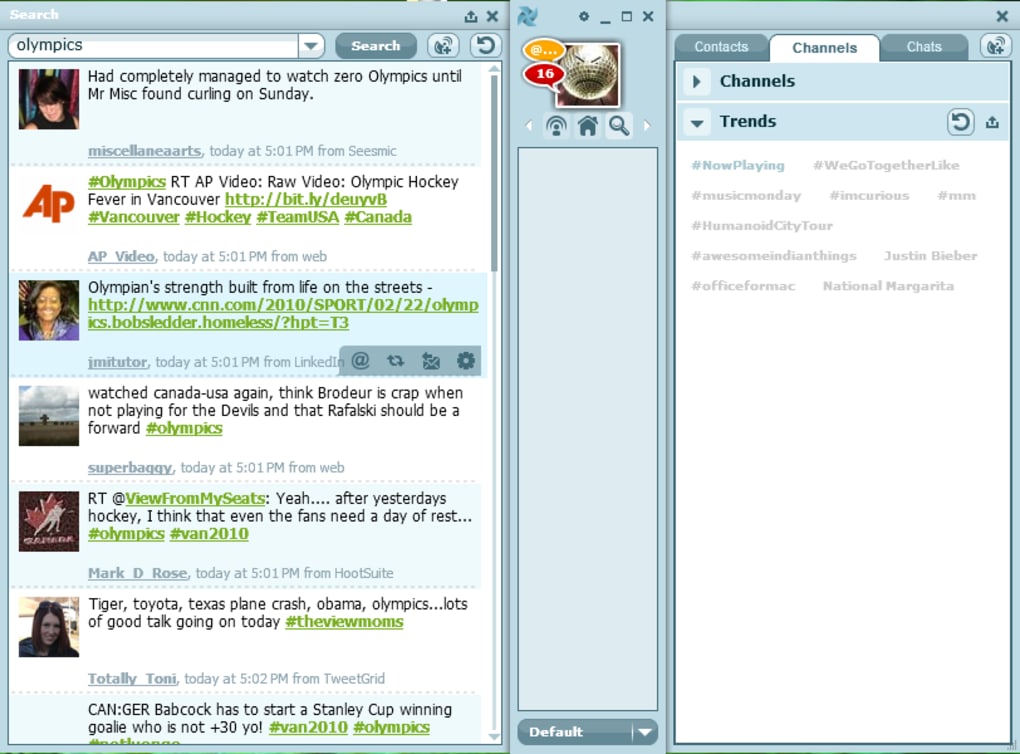
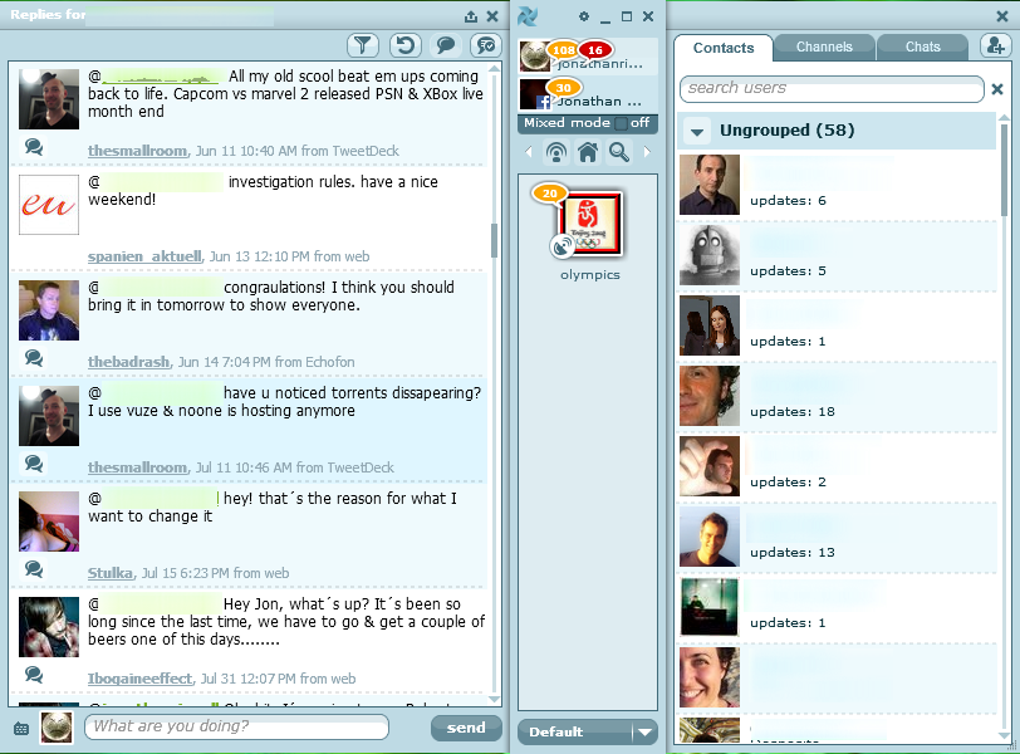
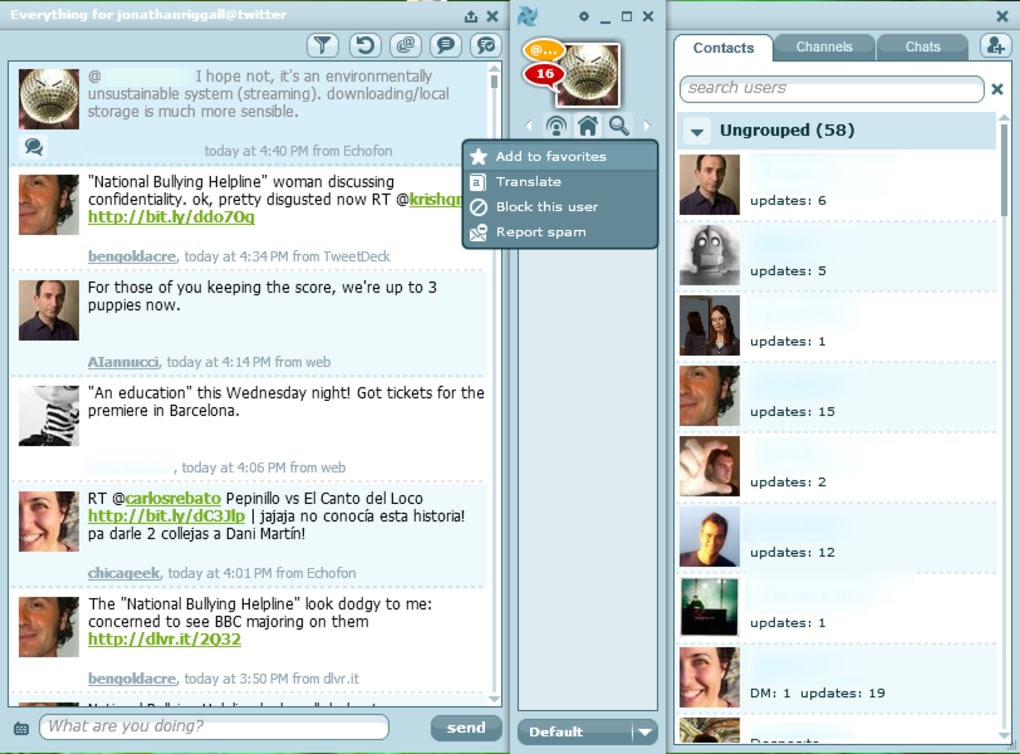
Mixero is a feature‑rich Twitter desktop client that pushes the boundaries of how we interact with the social‑media API. Built on Adobe Air, Mixero runs on Windows, macOS, and Linux, delivering a visually appealing interface that feels both modern and a little unconventional. While most Twitter clients stick to a familiar timeline‑centric layout, Mixero flips the script by placing your accounts—Twitter, Facebook, or even additional services—in a central panel that can be mirrored on either the left or right side of the screen. This design encourages users to think in “channels” instead of endless streams, allowing you to carve out dedicated spaces for specific searches, user groups, or even individual friends. The result is a powerful noise‑filtering system that aims to give heavy social‑media users exactly the content they care about while hiding the clutter that often overwhelms timelines.
The learning curve can feel steep at first. Because Mixero’s layout diverges from the typical single‑column feed, newcomers may initially feel “lost.” However, once the method behind the design is understood, the workflow becomes intuitive, especially for power users who need granular control over what they see. Mixero’s heavy reliance on Adobe Air does make the app a bit more resource‑intensive than native alternatives, but the trade‑off is a consistent look and feel across platforms. In short, Mixero is a bold experiment that rewards users willing to invest time in mastering its unique interface. For Twitter addicts who crave advanced filtering, channel‑based organization, and a desktop‑first experience, Mixero delivers a compelling, if occasionally busy, environment.
Key Features
- Multi‑Account Dashboard: Add and manage multiple Twitter, Facebook, or other social accounts from a single central panel.
- Channel System: Create custom channels for searches, hashtags, user groups, or specific friends, and view them on either side of the interface.
- Advanced Filtering: Set up keyword, user, and language filters to cut out noise and focus on relevant content.
- Cross‑Platform Support: Runs on Windows, macOS, and Linux thanks to Adobe Air, ensuring a uniform experience.
- Real‑Time Updates: Streams live tweets, retweets, and mentions without needing to refresh manually.
- Integrated Media Viewer: Preview images, videos, and GIFs directly within the client without opening a browser.
- Customizable Themes: Choose from light, dark, or high‑contrast themes to match your workflow.
- Keyboard Shortcuts: Power users can navigate, compose, and switch channels using a full set of shortcuts.
- Secure OAuth Login: Authentication is handled via Twitter’s OAuth, keeping credentials safe.
- Offline Cache: Recent tweets are cached locally, allowing quick access even when the internet connection drops temporarily.
Mixero’s feature set is designed for users who want more than a simple timeline reader. The channel system, in particular, differentiates Mixero from other desktop clients. By treating each search or group as a distinct pane, you can monitor multiple topics simultaneously without the usual visual clutter. The built‑in media viewer further streamlines the experience, letting you stay within the app while watching videos or scrolling through image galleries. Although the Adobe Air foundation adds a modest performance overhead, it guarantees that every feature works consistently across operating systems, which is a significant advantage for users who switch between Windows and macOS regularly.
Installation, Usage & Compatibility
How to Install Mixero
Installing Mixero is straightforward. First, download the installer from the official Mixero website. You’ll find separate installers for Windows (.exe), macOS (.dmg), and Linux (.deb/.rpm). After the download completes, follow these steps:
- Windows: Double‑click the .exe file, accept the license agreement, and choose an installation folder. The installer will also prompt you to install Adobe Air if it isn’t already present.
- macOS: Open the .dmg file, drag the Mixero icon into your Applications folder, and allow the system to verify the app. macOS may require you to grant permissions for network access.
- Linux: Use your package manager. For Debian/Ubuntu, run
sudo dpkg -i mixero.deb. For Fedora/CentOS, usesudo rpm -i mixero.rpm. As with other platforms, ensure Adobe Air runtime is installed.
Once installed, launch Mixero from your start menu, dock, or applications list. The first run will ask you to log in to your Twitter (and optionally Facebook) accounts using OAuth. This process redirects you to the official Twitter login page, where you grant Mixero permission to read and post on your behalf. After successful authentication, your accounts appear in the central dashboard.
Getting Started with Channels
The core of Mixero’s workflow revolves around channels. To create a channel, click the “+ Channel” button in the left or right panel, select the type (search, user list, hashtag, or friend group), and define the filter criteria. For example, a channel titled “Tech News” could be set to track the hashtag #technology while excluding retweets. Each channel updates in real time, and you can pin your favorite ones to the top of the panel for quick access.
Compatibility (itemprop="operatingSystem")
- Windows 10, 11 (64‑bit)
- macOS 10.13 High Sierra or later
- Linux distributions supporting Adobe Air (Ubuntu, Fedora, Debian, openSUSE)
Because Mixero relies on Adobe Air, it inherits the runtime’s cross‑platform capabilities. However, users should keep the Air runtime up‑to‑date to benefit from security patches and performance improvements. Mixero itself receives regular updates through an automatic check‑for‑updates feature that prompts you when a new version is available.
Pros and Cons
Pros
- Highly customizable channel system that reduces timeline noise.
- Supports multiple social accounts, including Twitter and Facebook.
- Cross‑platform consistency thanks to Adobe Air.
- Real‑time streaming with offline caching for uninterrupted browsing.
- Secure OAuth authentication and built‑in media preview.
Cons
- Unique interface can be confusing for new users.
- Adobe Air dependency makes the app slightly heavier on system resources.
- Feature set may be overkill for casual Twitter users.
- Occasional UI clutter when many channels are active.
- No native mobile version; limited to desktop environments.
The pros and cons above reflect real‑world usage. Power users will appreciate Mixero’s granular control and channel‑centric design, while occasional tweeters might find the learning curve steep. The resource overhead from Adobe Air is modest on modern machines but could be noticeable on older hardware. Overall, Mixero shines when you need to monitor multiple streams, track specific keywords, or manage several accounts from a single desktop hub.
FAQ & Conclusion
Frequently Asked Questions
-
Is Mixero free to use?
Yes, Mixero is completely free. There are no hidden subscription fees, and all core features are available without charge.
-
Does Mixero store my Twitter passwords?
No. Mixero uses Twitter’s OAuth system, which means your credentials never touch the application. Only an access token is stored securely.
-
Can I use Mixero on Windows 7?
Mixero officially supports Windows 10 and 11. While it may run on Windows 7, you may encounter compatibility issues with the Adobe Air runtime.
-
How do I create a channel that excludes retweets?
When setting up a new channel, add
-filter:retweetsto the search query. Mixero will then ignore all retweet content for that channel. -
Will Mixero work on Linux without Adobe Air installed?
No. Adobe Air is required because Mixero is built on that runtime. The installer will prompt you to install Air if it’s missing.
In conclusion, Mixero offers a fresh, channel‑driven approach to managing Twitter and other social feeds on the desktop. Its robust feature set—multiple account support, advanced filtering, and real‑time streaming—makes it a solid choice for heavy users who want to cut through the noise. While the unique interface may require an initial adjustment period and the Adobe Air foundation adds a modest resource cost, the benefits of a highly customizable, cross‑platform experience often outweigh these drawbacks. If you’re a Twitter power user looking for a desktop client that gives you granular control without sacrificing visual appeal, Mixero is definitely worth a try. Download Mixero today and transform the way you browse social media on your computer.







